Feature Snippet:
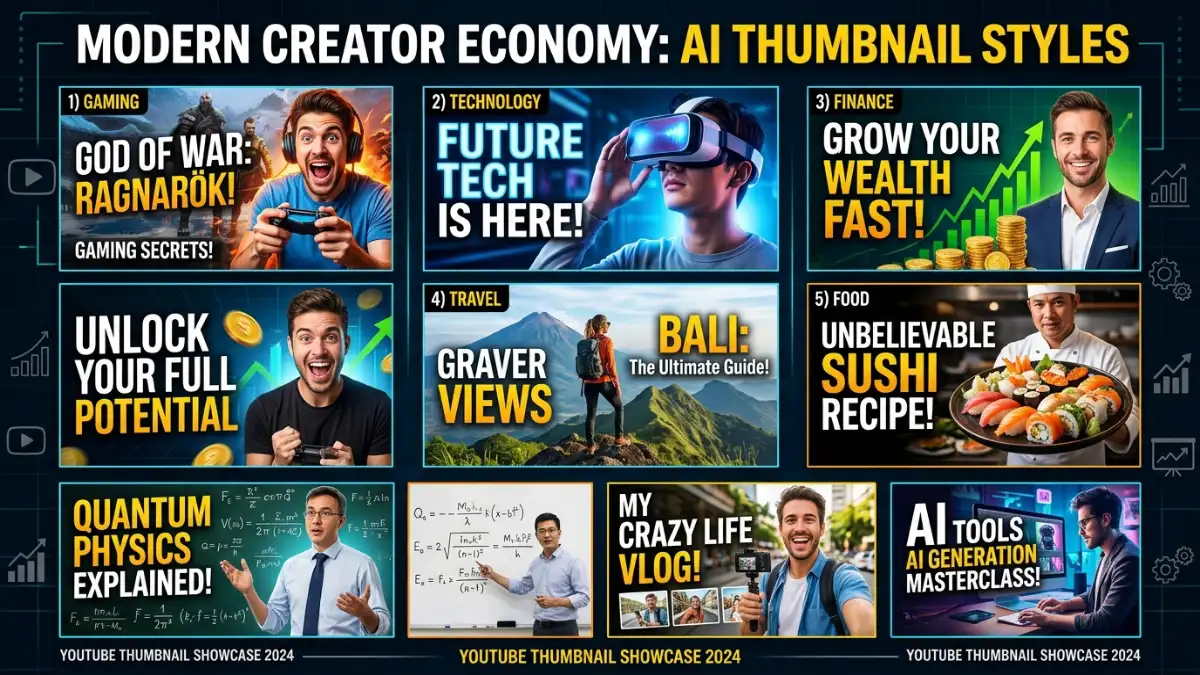
Your video can be excellent, but viewers may never discover it if the thumbnail doesn’t make them stop scrolling. Creating an effective thumbnail used to mean spending time in Photoshop, Canva, or another design tool. AI has made the process much faster. Today, you can generate visual concepts, remove backgrounds, create new scenes, add text, and produce multiple thumbnail variations with AI.
The important thing is that not every AI image generator is a good thumbnail generator. A useful thumbnail tool needs more than attractive images. It should help with composition, readable text, faces, branding, editing, and the final 16:9 format. Current 2026 comparisons highlight Canva, Adobe Express, Ideogram, Pikzels, and other dedicated tools for these different workflows. (Presenc AI)
In this guide, we’ll compare the best AI thumbnail generators in 2026 and explain which one is best for YouTube creators, beginners, marketers, gamers, vloggers, and businesses.
Table of Contents
| Section | What You’ll Learn |
| What Is an AI Thumbnail Generator? | How AI thumbnail tools work |
| Best AI Thumbnail Generators | 12 tools compared |
| Comparison Table | Features at a glance |
| Best AI Thumbnail Generator by Use Case | Find the right tool |
| Best Free AI Thumbnail Generators | Free options |
| How to Create a Thumbnail With AI | Step by step process |
| Best AI Thumbnail Prompts | Ready to use prompts |
| AI Thumbnails for YouTube | YouTube specific tips |
| AI Thumbnails for Different Niches | Gaming, education, business, etc. |
| Thumbnail Design Tips | Improve clickability |
| Benefits and Limitations | What AI can and can’t do |
| FAQs | Common questions |
| Key Takeaways | Quick summary |
| Conclusion | Final recommendations |
What Is an AI Thumbnail Generator?
An AI thumbnail generator is a tool that uses artificial intelligence to create or edit thumbnail designs from text prompts, photos, templates, or existing images.
Instead of manually building everything, you can describe the visual you want.
For example:
“Create a dramatic YouTube thumbnail for a video about the world’s most expensive house. Show a huge luxury mansion, shocked facial expression, dramatic lighting, bold yellow text saying ‘MOST EXPENSIVE!’, and a high contrast cinematic style.”
The AI can generate a starting point that you can then edit.
Depending on the platform, AI thumbnail tools can:
- Generate images
- Remove backgrounds
- Create backgrounds
- Improve photos
- Add text
- Generate layouts
- Create facial expressions
- Replace objects
- Resize designs
- Generate multiple variations
- Maintain brand styles
Canva, for example, combines AI powered media generation with templates and a drag and drop editor specifically for YouTube thumbnails. (Canva)
12 Best AI Thumbnail Generators in 2026
1. Canva
Best For: Overall thumbnail creation
Canva is one of the easiest choices for creating YouTube thumbnails.
Its YouTube thumbnail maker combines professionally designed templates with AI features such as Magic Media, Magic Edit, Magic Grab, and background editing tools. (Canva)
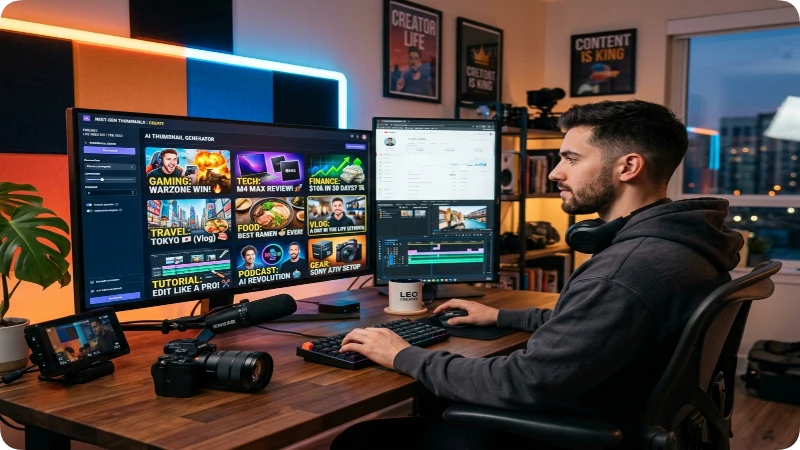
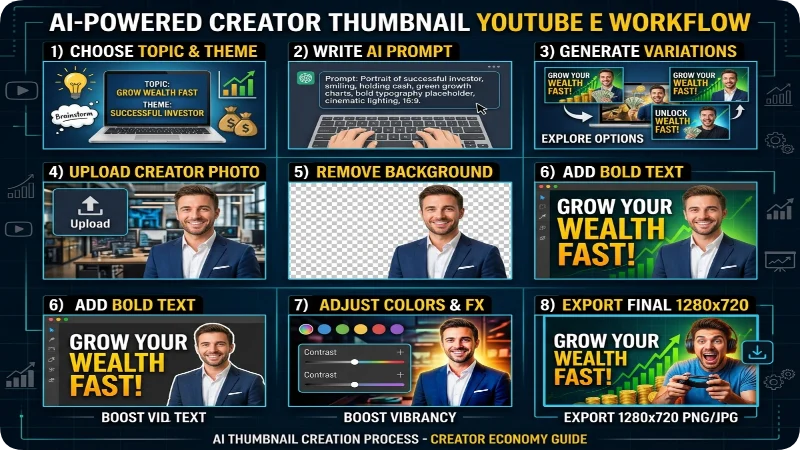
You can start with a template, generate an image, upload your own photo, remove the background, add text, and customize the design without needing advanced graphic design skills.
Best for:
- Beginners
- YouTubers
- Small businesses
- Educational channels
- Vloggers
- Social media creators
Verdict: Best overall AI thumbnail generator for most creators.
2. Adobe Express
Best For: Professional and branded thumbnails
Adobe Express is a strong option for creators who want AI generation combined with a professional editing environment.
It lets you generate images and templates from text prompts, use photos and stock assets, add branding, and customize YouTube thumbnail templates.
You can also upload your logo and use your channel’s fonts and colors to create a consistent visual identity.
Best for:
- Professional creators
- Businesses
- Branded YouTube channels
- Marketing teams
- Adobe users
Verdict: Best for professional and brand focused thumbnails.
3. Ideogram
Best For: Text heavy thumbnails
Ideogram deserves special attention when the thumbnail depends heavily on readable text.
AI generated typography has historically been a weakness of image generators, but current comparisons continue to highlight Ideogram for strong text rendering. (TechSifted)
This makes it useful for thumbnails such as:
- “I QUIT!”
- “10 SECRETS”
- “DON’T DO THIS”
- “BEFORE & AFTER”
- “I TESTED IT”
Best for: Creators who need the text to be an important visual element.
Verdict: One of the best choices for AI generated thumbnail text.
4. Pikzels
Best For: Dedicated YouTube thumbnail workflows
Pikzels is built specifically around creator thumbnails rather than being a general purpose design platform.
Current 2026 comparisons identify Pikzels as one of the strongest dedicated YouTube thumbnail tools. (Presenc AI)
This makes it particularly interesting for creators who produce thumbnails regularly and don’t want to build everything from scratch.
Best for:
- YouTubers
- Creator teams
- High frequency channels
- Thumbnail focused workflows
Verdict: A strong dedicated choice for YouTube creators.
5. Fotor
Best For: AI thumbnails from your own photos
Fotor’s AI thumbnail maker lets you start with text or upload your own image.
Its current tool can automatically cut out the main subject, place it into a new scene, improve the layout, add text, and adjust style and colors. It also supports generating multiple thumbnail options. (Fotor)
This is particularly useful for creators who appear on camera.
Best for:
- Vlogs
- Tutorials
- Personal brands
- Gaming
- Product reviews
- Reaction videos
Verdict: A useful option when your own photo is the centerpiece of the thumbnail.
6. Midjourney
Best For: High quality visual concepts
Midjourney is primarily an AI image generator rather than a dedicated thumbnail maker.
However, it can create impressive visual backgrounds and concepts for:
- Gaming
- Fantasy
- Technology
- Movies
- Travel
- Storytelling
- Entertainment
The major drawback is that you may need another design tool to add final text and create the complete thumbnail.
Current comparisons continue to rate Midjourney highly for raw image quality but note its weaker thumbnail specific workflow and text limitations. (ClickStudio)
Best for: Creators who want impressive artwork and don’t mind finishing the thumbnail elsewhere.
Verdict: Best for high quality AI artwork rather than complete thumbnails.
7. Leonardo AI
Best For: Consistent visual styles
Leonardo AI is useful for creators who want a recognizable visual style across a series of thumbnails.
This is particularly valuable for channels where every video needs to look like it belongs to the same brand.
Current 2026 comparisons highlight Leonardo AI for style consistency across thumbnail series. (TechSifted)
Best for:
- Gaming channels
- Storytelling channels
- Fantasy
- Educational series
- Consistent channel branding
Verdict: Excellent for maintaining a recognizable visual style.
8. ThumbMagic
Best For: Face focused thumbnails
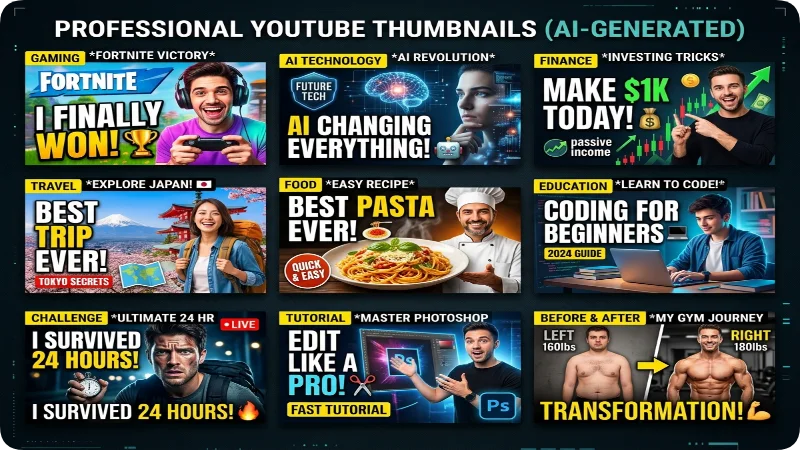
ThumbMagic is designed specifically around YouTube thumbnails and is particularly focused on facial expressions and thumbnail quality.
Current 2026 comparisons highlight its face focused workflow and high resolution output. (Thumby)
This can be useful for:
- Reaction videos
- Commentary
- Vlogs
- Challenges
- Entertainment channels
Best for: Creators whose faces are central to their thumbnails.
Verdict: Worth considering for face forward YouTube channels.
9. 1of10
Best For: Data driven thumbnail ideas
1of10 takes a different approach.
Rather than simply generating pretty images, it focuses on analyzing YouTube performance and identifying thumbnail concepts based on successful videos and outliers. (Thumby)
This makes it interesting for creators who want to think about thumbnails from a performance perspective.
Best for:
- Serious YouTubers
- Growth focused channels
- Thumbnail testing
- Data driven creators
Verdict: Interesting option for creators focused on performance and experimentation.
10. YGen
Best For: Fast AI thumbnail creation
YGen is a dedicated AI thumbnail workflow designed to move quickly from an idea to a finished thumbnail.
Current 2026 comparisons highlight its speed, AI generation, face features, and free tier. (YGen)
Best for: Creators who prioritize speed.
Verdict: A useful choice for fast thumbnail production.
11. Snappa
Best For: Simple social graphics
Snappa is more of a general purpose graphics tool than a dedicated AI thumbnail generator.
It can still be useful for creators who need quick social media graphics and YouTube thumbnails without a complicated editing process. Current 2026 thumbnail comparisons include it among the practical YouTube thumbnail makers. (ThumbBoost)
Best for: Simple, fast thumbnail editing.
Verdict: Good for creators who prefer straightforward design tools.
12. Thumbnail.ai
Best For: Thumbnail analysis and scoring
Thumbnail.ai focuses more heavily on thumbnail optimization and analysis rather than simply generating images.
Current 2026 comparisons identify it as an option for creators interested in CTR scoring and performance focused workflows. (YGen)
Best for: Creators who want feedback on their thumbnail concepts.
Verdict: Useful as part of a thumbnail testing workflow.
Best AI Thumbnail Generators Compared
| Tool | Best For | AI Generation | Templates | Photo Editing | YouTube Focus |
| Canva | Overall | Excellent | Excellent | Excellent | Excellent |
| Adobe Express | Professional | Excellent | Excellent | Excellent | Excellent |
| Ideogram | Text | Excellent | Limited | Good | Good |
| Pikzels | YouTube | Excellent | Good | Excellent | Excellent |
| Fotor | Own photos | Excellent | Excellent | Excellent | Excellent |
| Midjourney | Artwork | Excellent | Limited | Limited | Limited |
| Leonardo AI | Style consistency | Excellent | Limited | Good | Good |
| ThumbMagic | Faces | Excellent | Good | Excellent | Excellent |
| 1of10 | Performance | Good | Good | Good | Excellent |
| YGen | Speed | Excellent | Good | Good | Excellent |
| Snappa | Simple design | Good | Excellent | Good | Good |
| Thumbnail.ai | Analysis | Good | Good | Good | Excellent |
AI Thumbnail Generator by Use Case
| Your Goal | Best Choice |
| Best overall | Canva |
| Best professional | Adobe Express |
| Best for text | Ideogram |
| Best dedicated YouTube tool | Pikzels |
| Best for your own photos | Fotor |
| Best for AI artwork | Midjourney |
| Best for consistent styles | Leonardo AI |
| Best for faces | ThumbMagic |
| Best for data driven thumbnails | 1of10 |
| Best for speed | YGen |
| Best simple editor | Snappa |
| Best for thumbnail analysis | Thumbnail.ai |
Free AI Thumbnail Generators
If you’re starting a YouTube channel and don’t want to spend money immediately, several tools offer free access or free features.
Canva
Canva provides a free YouTube thumbnail maker with templates, editing tools, and AI powered features. Its current page specifically lists AI media generation and a large template library. (Canva)
Adobe Express
says its YouTube thumbnail maker can be started for free, with free templates, AI tools, editing, and downloads.
Fotor
offers an AI thumbnail maker that can create thumbnails from text or uploaded images.
Ideogram
Ideogram provides free access with usage limits, making it useful for experimenting with AI generated thumbnail concepts and typography.
Leonardo AI
Leonardo AI also offers free access, making it useful for creators who want to experiment with different visual styles.
Free credits, limits, and premium features can change, so check the current plan before publishing exact pricing information.
How to Create a Thumbnail With AI
Step 1: Understand Your Video
Before generating anything, identify the video’s main idea.
Ask:
- What is the video about?
- What is the most interesting part?
- What emotion should viewers feel?
- What would make someone curious?
- What single visual could represent the video?
For example:
Video: “I Spent 7 Days Living Without My Phone”
Possible thumbnail concept:
A shocked creator holding a broken phone with a large “7 DAYS” visual.
Step 2: Choose Your AI Thumbnail Tool
Use the tool based on your workflow.
Easy all in one → Canva
Professional branding → Adobe Express
Text heavy → Ideogram
Dedicated YouTube → Pikzels
Own photo → Fotor
AI artwork → Midjourney
Consistent style → Leonardo AI
Step 3: Write a Specific Prompt
Instead of:
“Make a YouTube thumbnail about AI.”
Try:
“Create a high energy YouTube thumbnail about the future of AI. Show a surprised young creator looking at a glowing humanoid AI robot, dramatic blue and orange lighting, dark background, strong facial expression, cinematic composition, high contrast, empty space on the left for large white text.”
A detailed prompt gives the AI more direction.
Step 4: Generate Multiple Concepts
Don’t automatically use the first result.
Generate several variations.
Try changing:
- Facial expression
- Background
- Camera angle
- Color
- Text
- Main object
- Composition
Step 5: Add the Final Text
Keep the text short.
Instead of:
“Everything You Need to Know About Artificial Intelligence in 2026”
Try:
AI CHANGED EVERYTHING
A current 2026 thumbnail guide recommends keeping thumbnail text extremely short and readable at small sizes. (AISO Tools)
Step 6: Check the Thumbnail at Small Size
This is an important step.
Zoom out or view the thumbnail at approximately the size viewers will see it in a video list.
Ask:
Can I understand the idea immediately?
Can I read the text?
Is the main subject obvious?
Does anything look cluttered?
Step 7: Export and Test
Create two or more variations whenever possible.
Compare:
- Main image
- Headline
- Facial expression
- Color
- Composition
- Curiosity
A/B testing can help you learn which visual approach works better for your particular audience.
Best AI Thumbnail Prompts
1. YouTube Tech Thumbnail
“Create a high CTR YouTube thumbnail about the latest AI technology, shocked creator on the right side, futuristic glowing AI interface on the left, dramatic blue and orange lighting, dark background, extreme contrast, cinematic photography, clean composition, empty space for bold headline.”
2. Gaming Thumbnail
“Create an exciting gaming YouTube thumbnail showing a surprised gamer reacting to an intense futuristic video game scene, dramatic red lighting, glowing weapons, explosive background, high contrast, dynamic composition, expressive face, professional gaming channel style.”
3. AI Tools Thumbnail
“Create a professional YouTube thumbnail about the best AI tools, futuristic laptop displaying multiple AI applications, surprised creator pointing toward the screen, bright blue and purple lighting, dark background, bold visual contrast, modern technology aesthetic.”
4. Money Thumbnail
“Create a dramatic YouTube finance thumbnail showing a surprised creator next to a large rising financial chart, stacks of money in the background, green and black color scheme, cinematic lighting, strong facial expression, high contrast, clean composition.”
5. Tutorial Thumbnail
“Create a clean YouTube tutorial thumbnail showing a laptop screen with a step by step interface, creator pointing at the screen, bright background, bold contrasting elements, professional educational design, clear space for a short headline.”
6. Travel Thumbnail
“Create an exciting travel YouTube thumbnail showing a creator standing in front of a beautiful tropical destination, turquoise water, dramatic sunset, surprised and excited expression, vibrant colors, cinematic photography, strong contrast.”
7. Food Thumbnail
“Create a mouth watering YouTube thumbnail showing a giant cheeseburger with melted cheese, surprised food creator reacting beside it, dramatic studio lighting, vibrant colors, close up composition, high contrast, professional food channel aesthetic.”
8. Challenge Thumbnail
“Create a high energy YouTube challenge thumbnail showing a shocked creator attempting an impossible challenge, dramatic environment, exaggerated emotional expression, vibrant colors, cinematic lighting, dynamic perspective, strong visual contrast.”
9. Before and After Thumbnail
“Create a split screen YouTube thumbnail showing a dramatic before and after transformation, clear visual contrast between both sides, surprised creator in the center, bold lighting, clean composition, highly recognizable transformation.”
10. Educational Thumbnail
“Create a professional educational YouTube thumbnail explaining how the human brain works, realistic human brain visualization, curious presenter pointing toward the brain, dark blue background, bright scientific graphics, high contrast, clean modern design.”
AI Thumbnails for Different YouTube Niches
Gaming
Gaming thumbnails usually benefit from:
- Strong characters
- Action
- Bright effects
- Emotional expressions
- Clear focal points
Don’t fill the entire thumbnail with game screenshots. A clear visual story is usually easier to understand.
Technology
Technology thumbnails can use:
- Futuristic interfaces
- Devices
- AI robots
- Glowing screens
- Strong color contrast
Keep the design clean rather than adding every technology element at once.
Finance
Use visuals such as:
- Charts
- Money
- Stocks
- Numbers
- Business environments
But make sure the design doesn’t look misleading or overly sensational.
Education
Educational thumbnails should prioritize clarity.
Use:
- One main concept
- One recognizable visual
- Short text
- Simple backgrounds
Vlogging
For vlogs, your face can become the primary visual.
A strong facial expression combined with one recognizable location or object can tell the story quickly.
Food
Food thumbnails should make the main dish immediately recognizable.
Use close up imagery, strong lighting, and enough contrast to separate the food from the background.
What Makes a Good AI Thumbnail?
A good thumbnail isn’t simply a beautiful picture.
It needs to communicate an idea quickly.
1. One Main Subject
Don’t give the viewer ten things to look at.
Choose one main subject.
2. Strong Contrast
Your thumbnail should remain visible against YouTube’s interface.
3. Short Text
Use only the words you need.
A useful rule is roughly 3–5 words, especially when the thumbnail needs to remain readable on smaller screens. (AISO Tools)
4. Clear Emotion
For personality driven channels, expressions can communicate surprise, excitement, fear, curiosity, or confidence.
5. Curiosity
The thumbnail should give viewers a reason to wonder:
“What happened?”
“How did they do that?”
“Is this actually possible?”
Don’t use misleading clickbait. The thumbnail should accurately represent the video.
6. Consistent Branding
Using similar colors, fonts, layouts, and visual styles can make your videos easier to recognize.
AI Thumbnail Generator vs Traditional Design
| AI Thumbnail Generator | Traditional Design |
| Faster concept creation | More manual work |
| Easy to create variations | Variations take longer |
| Beginner friendly | More design knowledge needed |
| Can generate original visuals | More precise manual control |
| Good for experimentation | Better for detailed editing |
| Can combine AI with templates | Often requires separate tools |
The best workflow doesn’t have to be AI vs human design.
Instead:
AI generates the concept → Human improves the design → Creator tests variations.
Benefits of AI Thumbnail Generators
Save Time
AI can dramatically reduce the time needed to create an initial concept.
Generate More Ideas
You can experiment with multiple visual directions quickly.
Useful for Beginners
You don’t need advanced Photoshop skills to start.
Create Consistent Series
Some AI tools can help maintain a similar visual style across multiple videos.
Easy Photo Editing
Tools such as Fotor can automatically remove subjects from backgrounds and place them into new scenes. (Fotor)
Useful for High Volume Channels
Creators publishing several videos each week can benefit from faster thumbnail workflows.
Limitations of AI Thumbnail Generators
AI thumbnail tools still have limitations.
Text Can Be Incorrect
AI generated text can contain spelling errors or strange characters. Always proofread the final thumbnail.
Faces May Look Unnatural
Some AI tools can struggle with realistic facial details or consistent identity.
Beautiful Doesn’t Mean Clickable
A visually impressive image doesn’t automatically make a good thumbnail.
AI Can Create Generic Designs
If your prompt is vague, the result may look similar to thousands of other AI generated images.
You Still Need Human Judgment
AI can generate options, but you still need to decide which thumbnail best communicates your video’s idea.
Commercial Licensing Varies
Check each tool’s current terms before using generated assets commercially.
Frequently Asked Questions
What is the best AI thumbnail generator in 2026?
For most creators, Canva is the best all around option because it combines AI generation, templates, editing, and YouTube specific thumbnail tools. For dedicated YouTube workflows, Pikzels is another strong choice. (ClickStudio)
What is the best free AI thumbnail generator?
Canva and Adobe Express are strong starting points because both offer free thumbnail creation features and AI assisted tools. Fotor and Ideogram are also useful for experimenting with AI generated thumbnail concepts. (Canva)
What is the best AI thumbnail generator for YouTube?
Canva is the strongest general purpose choice, while Pikzels is a good dedicated option for YouTube creators who want a thumbnail focused workflow. (ClickStudio)
What is the best AI thumbnail generator for text?
Ideogram is one of the strongest options for AI generated text and typography, making it useful for thumbnails where the headline is part of the visual design. (TechSifted)
Can AI make YouTube thumbnails from text?
Yes. Tools such as Adobe Express can generate images and templates from text prompts, while Canva provides AI powered image and design tools for thumbnail creation. (Canva)
Can I use my own photo to create an AI thumbnail?
Yes. Fotor’s AI thumbnail maker lets you upload your own image and use AI to remove the background, place the subject into a new scene, and adjust the design. (Fotor)
What size should a YouTube thumbnail be?
YouTube thumbnails are commonly created at 1280 × 720 pixels, using a 16:9 aspect ratio. Always verify YouTube’s current technical requirements before publishing.
How many words should a YouTube thumbnail have?
Keep thumbnail text short. Around 3–5 words is a useful starting point because viewers often see thumbnails at very small sizes. (AISO Tools)
Can AI thumbnails increase CTR?
A better thumbnail can potentially improve click through rate, but there is no guaranteed CTR increase from using AI. Performance depends on the topic, audience, title, video quality, competition, and thumbnail itself.
Is Midjourney good for YouTube thumbnails?
Midjourney can be excellent for generating high quality visual concepts, but it is less convenient as a complete thumbnail workflow because you may need another tool for final typography and layout. (ClickStudio)
Key Takeaways
- Canva is the best all around AI thumbnail generator for most creators.
- Adobe Express is excellent for professional and branded channels.
- Ideogram is particularly useful for text heavy thumbnails.
- Pikzels is a strong dedicated YouTube thumbnail tool.
- Fotor is useful when you want to build a thumbnail around your own photo.
- Midjourney is excellent for generating impressive visual concepts.
- Leonardo AI is useful for maintaining a consistent visual style.
- ThumbMagic is worth considering for face focused channels.
- 1of10 is interesting for performance driven thumbnail workflows.
- YGen focuses on fast thumbnail creation.
- Keep thumbnail text short and readable.
- Use one primary visual idea.
- Test multiple thumbnail concepts when possible.
- Make sure the thumbnail accurately represents the video.
- Always check your final design at a small size.
Conclusion
The best AI thumbnail generator depends on your workflow and the type of YouTube channel you run. For most beginners and creators, Canva is the safest starting point. It combines AI powered image and editing features with templates and an easy drag and drop workflow. If you’re building a professional brand, Adobe Express offers AI generation, templates, stock assets, and brand customization.
For creators who need strong typography, Ideogram is worth considering. For a dedicated YouTube workflow, Pikzels can be a better fit than a general purpose design platform. And if you want spectacular AI artwork, Midjourney can produce the visual foundation before you finish the thumbnail in another editor.
The biggest lesson is simple: don’t choose an AI thumbnail generator just because it creates beautiful images. Choose one that helps you communicate your video’s idea quickly.